
Gatekeeper 1.2: let the office network in, block unwanted networks
Published · 9 min read
Listen to the article · read by an AI voice
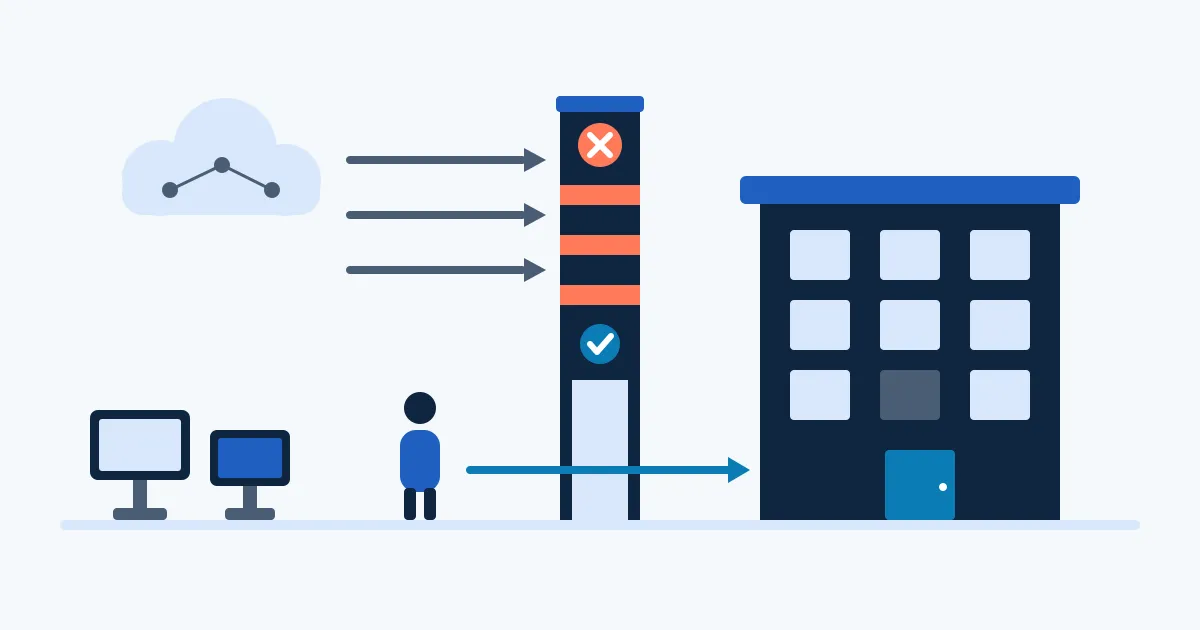
Anyone who protects an internal page with a sign-in knows the small annoyance: colleagues in the office request and type in a code every morning, although their network is known and trusted. The opposite case exists as well: some networks should never reach the page at all, not even the sign-in form. Since version 1.2.0, Gatekeeper can handle both.
Gatekeeper is the small sign-in gate we describe in our first article on Gatekeeper. It sits behind the reverse proxy and decides whether a request may pass, with a one-time code by email or with OpenID Connect. Version 1.2.0, released on 13 November 2026, adds two settings, ip_allow and ip_deny. The first lets known addresses and networks in without signing in, the second shuts out unwanted ones completely. This article explains how both work, why they only count the address a trusted proxy passes on, and what you should check before you switch them on. It also covers the security fixes in versions 1.1.2 and 1.1.3.
Addresses and networks in brief
Every device on the internet has an address. IPv4 addresses consist of four numbers, for example 203.0.113.7. IPv6 addresses are longer and written in hexadecimal, for example 2001:db8:1234::1. The addresses in this article come from ranges that are reserved for documentation: RFC 5737 sets aside 192.0.2.0/24, 198.51.100.0/24 and 203.0.113.0/24 for IPv4, and RFC 3849 reserves 2001:DB8::/32 for IPv6. Addresses in these ranges should not appear on the public internet, which is why they are safe for examples. In a real setup you enter your own network instead.
A whole network is written with a slash. In this notation, called CIDR, the address is followed by a slash and a number from 0 to 32 that says how many of the leading bits are fixed. 203.0.113.0/24 fixes the first three numbers and therefore covers 203.0.113.0 to 203.0.113.255. A single address is written with /32, so 203.0.113.7/32 means exactly that one address. IPv6 prefixes are written the same way: address, slash, prefix length. The number again tells how many leading bits form the prefix, so 2001:db8:1234::/48 describes everything that begins with that prefix.
Gatekeeper’s two new settings accept single addresses and networks, in IPv4 and in IPv6.
ip_allow: the office network without sign-in
With ip_allow you list the addresses or networks that may enter without signing in. Take a small agency whose office network is 203.0.113.0/24 (an example from the documentation range). If that network is in ip_allow, a colleague at the office opens the protected page and is let through directly. There is no sign-in page and no code mail. Anyone outside that network still signs in as before.
A request that passes this way has no signed-in user, because nobody signed in. For this reason Gatekeeper sets no X-Gatekeeper-User header for it. If an application behind Gatekeeper reads that header to show a name or to decide on permissions, it has to cope with requests where the header is missing. We come back to this in the checklist.
Both lists can be set at two levels. At the top level they apply to every host that Gatekeeper protects. In a host entry they apply to that host only. The office network could therefore be allowed for the internal reports and not for another page that should always ask for a sign-in.
ip_deny: unwanted networks blocked on every path
ip_deny works the other way round. A client address that matches an entry gets the answer 403 on every path. It sees no sign-in page and receives no code mail, and it makes no difference which session it holds. The network is shut out completely, not only from the login.
Suppose you decide that the network 198.51.100.0/24 (again an example) must not reach your pages. After you list it in ip_deny, every request from it ends with 403. Which networks count as unwanted is your decision. Gatekeeper only carries it out.
If an address appears in both lists, ip_deny wins. This order is useful. Imagine your office network is in ip_allow, and later someone adds a single address from it to ip_deny because a device there is misbehaving. If the allow entry won, the block would have no effect. With the block winning, you can allow a wide network and still exclude single addresses or smaller parts of it, and you always know what the more restrictive entry does.
One point from the existing behaviour belongs here. Since 1.0.0 Gatekeeper already limits the rate of requests per client address, with IPv6 counted per /64 and a whole /48 allowed at most 16 times. The new lists build on the same idea: the client address is what Gatekeeper looks at.
Only the address a trusted proxy names counts
Both lists judge only the client address that a trusted proxy names. This sentence matters more than it looks, because an address list is only as good as the address it is checked against.
Gatekeeper sits behind a reverse proxy. The visitor’s browser does not talk to Gatekeeper directly, it talks to the proxy, and the proxy asks Gatekeeper. The address that Gatekeeper sees as the sender is therefore the proxy’s. The real client address travels along in a header such as X-Forwarded-For. This header can be forged. The MDN documentation states that any security-related use of it, such as rate limiting or IP-based access control, must only use IP addresses added by a trusted proxy, and that any part not added by a trusted proxy may be spoofed. Using untrustworthy values can lead to rate-limiter avoidance, access-control bypass, memory exhaustion or other security or availability problems.
How a forgery works is easy to describe. An attacker sends a request with a header that already contains a made-up address at the front, say the office address 203.0.113.7. The trusted proxy appends the real address at the end of the list. Code that reads the leftmost entry then picks the forgery and treats the attacker as a colleague. That is why only the part of the chain that the trusted proxy has added may be used.
MDN adds a second warning: if the server can be reached directly from the internet, even though it also sits behind a trusted reverse proxy, no part of the X-Forwarded-For list can be trusted for security purposes. The protected service must be reachable only through the proxy.
Both common reverse proxies offer settings for this, and you set them on the proxy, not in Gatekeeper.
In nginx, set_real_ip_from “defines trusted addresses that are known to send correct replacement addresses”, given as an address or a CIDR range. real_ip_header names the header whose value replaces the client address; the default is X-Real-IP.
In Traefik, forwardedHeaders.trustedIPs sets the IP addresses or CIDR ranges from which Traefik trusts the X-Forwarded-* headers. The setting forwardedHeaders.insecure trusts them always; the Traefik documentation recommends it only for tests, not for production.
In short, the reverse proxy should believe forwarded addresses only from proxies you know, and Gatekeeper then works with what the proxy passes on.
No free pass: 0.0.0.0/0 and ::/0 are refused
The notation also allows the shortest prefix, a slash followed by 0. 0.0.0.0/0 stands for every IPv4 address and ::/0 for every IPv6 address. In ip_allow such an entry would open the door to the whole internet and make the sign-in pointless. A typing slip or a copied example could cause this without anyone noticing.
Gatekeeper therefore refuses both entries in ip_allow. The setting cannot be used to switch off the protection by accident.
Security fixes in 1.1.2 and 1.1.3
Two releases before 1.2 closed known security issues in the libraries and the Go version that Gatekeeper uses. Updating to 1.2 brings both.
Version 1.1.2 from 3 November 2026 updated the library go-jose to 4.1.8. It fixes three advisories that affected version 4.1.4. GHSA-mgcc-cww5-fp2q is rated high and concerns a denial of service when parsing a key set with RSA keys. GHSA-vvm8-gf78-28g4 and GHSA-4w3g-jfj2-cw2q are rated medium and concern panics in JSON parsing and in CBC-HMAC processing. One consequence is worth knowing if you sign in with OpenID Connect: since go-jose 4.1.6, an RSA key in a provider’s key set may have at most 4096 bits. A common provider uses 2048 or 4096 bits, so this is normally no problem.
Version 1.1.3 from 13 November 2026 moved to Go 1.27.4. It fixes GO-2026-6859 in net/http, a crash of the HTTP/1 server through a race in MaxBytesReader, which the tool govulncheck reports for Gatekeeper’s code paths. It also contains fixes for security issues in the go command, the compiler and the linker.
The update itself is simple. Version 1.2.0 needs no change to an existing setup, because the project raises the minor version when something is added without requiring a change. Images are built per release with the tags X.Y.Z, X.Y and X, and the tag latest is moved. You find them on Docker Hub and in the GitLab registry, for linux/amd64 and linux/arm64.
Checklist before switching it on
- Write down your office network with its prefix, for example 203.0.113.0/24, and check that it really is the address your office presents to the internet.
- Check that the protected service can be reached only through the reverse proxy and not directly from the internet.
- Check that the reverse proxy trusts forwarded headers only from known proxies:
set_real_ip_fromin nginx,forwardedHeaders.trustedIPsin Traefik. Do not run Traefik in itsinsecuremode. - Decide per host whether a list belongs at the top level or in a host entry.
- Check that an application behind Gatekeeper copes with requests that carry no
X-Gatekeeper-Userheader. - Do not enter 0.0.0.0/0 or ::/0 in
ip_allow; Gatekeeper refuses them anyway. - Run
gatekeeper checkto test the configuration before you restart. - Update to 1.2 and, after the restart, test once from inside the office network and once from outside.
IP lists complement the sign-in and do not replace it everywhere. Outside the allowed networks, the sign-in stays the way in.
How epicsoft helps
Our hosting includes access control for internal pages. We use Gatekeeper ourselves for the Lighthouse and SEO reports of our websites and for the previews of new versions, and we gladly set it up for your pages too, as the first article describes.
Sources
- Gatekeeper CHANGELOG: release dates and contents of 1.1.2, 1.1.3 and 1.2.0, ip_allow and ip_deny, the refusal of 0.0.0.0/0 and ::/0, image tags and platforms, versioning
- Gatekeeper at epicsoft: what Gatekeeper is, how it sits behind nginx and Traefik, gatekeeper check, use for reports and previews
- RFC 4632 (CIDR): IPv4 network notation with a slash
- RFC 4291 (IPv6 addressing): text representation of IPv6 prefixes
- RFC 5737: IPv4 blocks reserved for documentation
- RFC 3849: IPv6 prefix reserved for documentation
- MDN: X-Forwarded-For: trusting only addresses added by a trusted proxy, risks of untrustworthy values, direct reachability
- X-Forwarded-For chain: how a forged leftmost address works
- nginx ngx_http_realip_module: set_real_ip_from and real_ip_header
- Traefik entrypoints: forwardedHeaders.trustedIPs and forwardedHeaders.insecure